Free Toolbox Talk Template (Word & PDF)
Toolbox talks are usually the easy part. Someone stands by the ute, talks about the day's hazards for ten minutes, and everyone nods.
The hard part is the paper afterwards. The attendance sheet gets coffee on it, half the names are scribbles, and three weeks later nobody can find which folder it went into.
This is a free toolbox talk template. The Word file is a direct download, no email needed. Here's a free template to make the paper side tidier.
Download the Word template (.docx) — no email needed. This is the file that already ranks on Google for toolbox talk searches.
The PDF uses a short form. The download works whether or not you tick the optional email box.
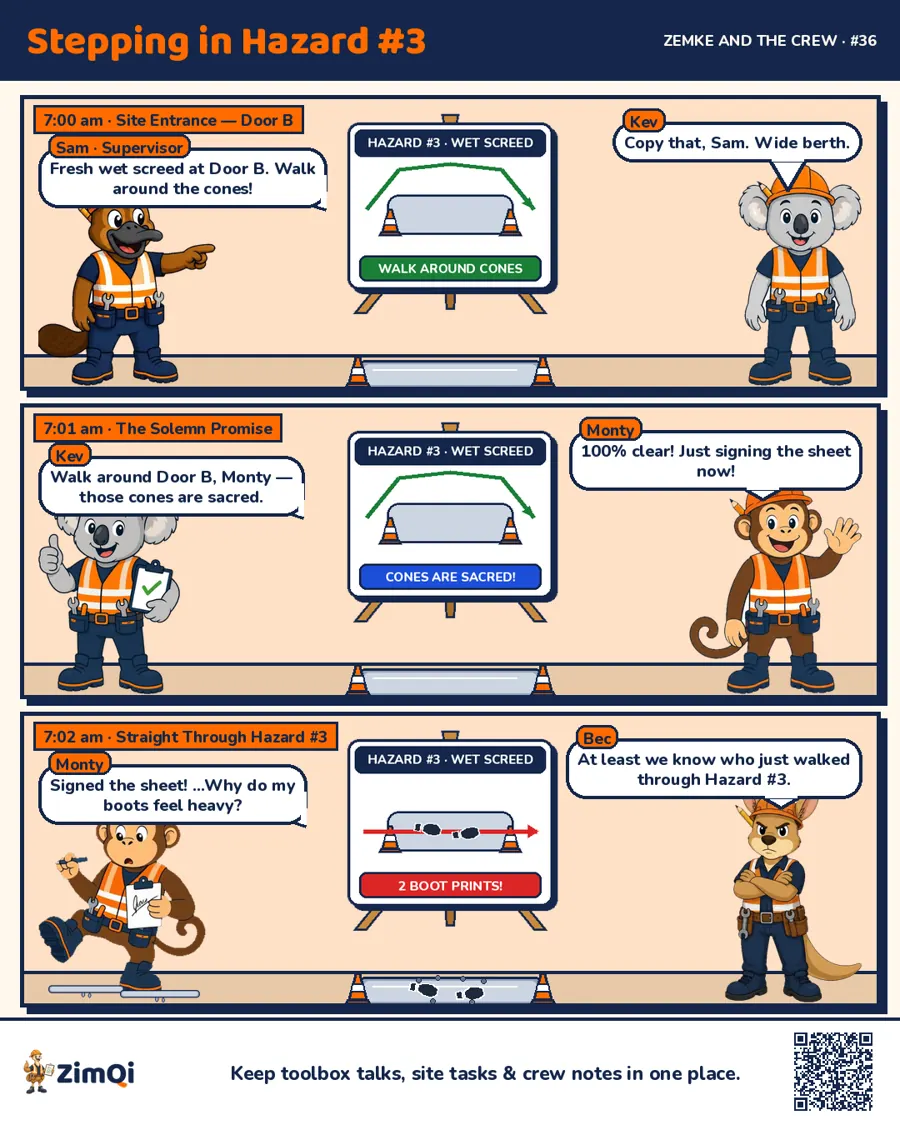
What's in the toolbox meeting template
- Details: date, site or job, time, and who ran the talk
- Topic: what you're covering today
- Discussion points: room for the key points, plus any questions the crew raised
- Hazards and controls: what was flagged and what you agreed to do about it
- Actions: who's doing what, and by when
- Attendance: name, company (handy for subbies), and a tick box for each person to confirm they were there
- Notes: anything else worth keeping
It's one page, plain and easy to edit. Add your logo and change the headings to suit how your crew works.
Tips for talks people actually listen to
- Keep it short. Ten minutes on one topic beats thirty minutes on six.
- Make it about today. Today's site, today's job, today's weather.
- Ask, don't lecture. "What's the dodgiest bit of this job?" gets better answers than a script.
- Write down the actions. Without the "who and by when", it's just a chat.
- File it the same day. It's easier now than when someone asks for it later.
What you cover and how often is up to you and your safety advisor. This template is a record-keeping tool, not safety or legal advice.
Where paper falls over
- The sheet stays in the ute, and the office never sees it
- Late arrivals miss being written down
- Subbies are listed on a different form
- Somebody has to scan, rename and file it
Toolbox talk app: Smart Forms in Telegram
ZimQi has Smart Forms, and a toolbox talk is one of them. The same details — topic, hazards, actions and attendance — run as a short form in Telegram, which most of your crew already has. There's no app to download. Instead of a signature, crew tick to confirm (an acknowledgement field) if your form includes one. ZimQi does not collect handwritten or digital signatures.
- The person running the talk fills in the topic, points and actions on their phone
- Attendance is recorded on the form, subbies included
- The finished form is saved as a PDF to your own Google Drive or Dropbox in a folder by site and date
The same chat can also handle pre-start checklists, SWMS forms (crew tick to confirm if the form includes an acknowledgement field), incident reports and job sheets, plus site sign-in and timesheets. You don't need all of it. Starting with toolbox talks is fine.
Keep using paper if it works for you. If filing is the bit that hurts, try the phone way.
Try a toolbox talk on Telegram, no app to download
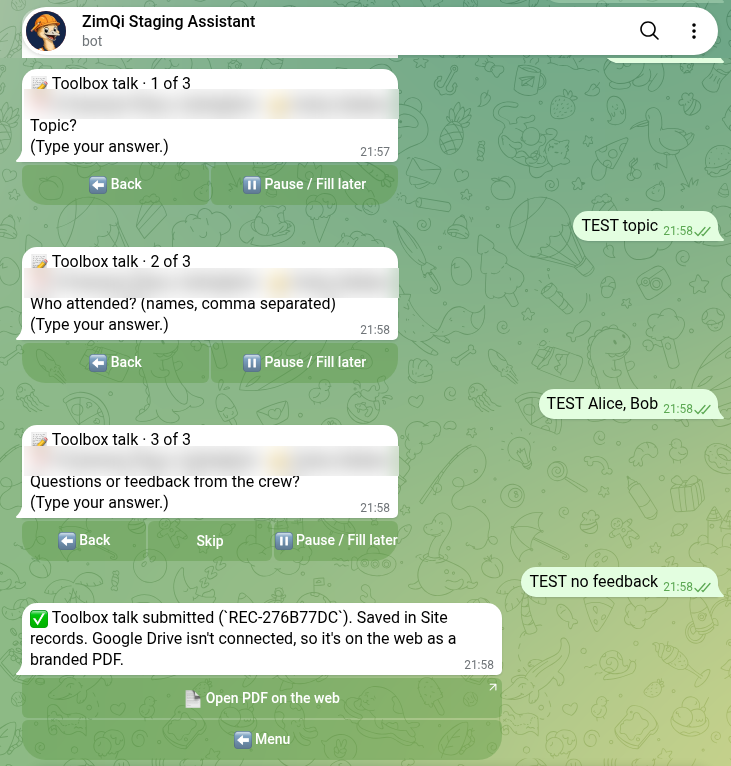
See it in Telegram: a toolbox talk, one question at a time
The supervisor picks Toolbox talk from the Forms menu. Each question arrives as its own message with Back, Skip and Pause / Fill later buttons, and the submitted talk is saved as a branded PDF in Site records.
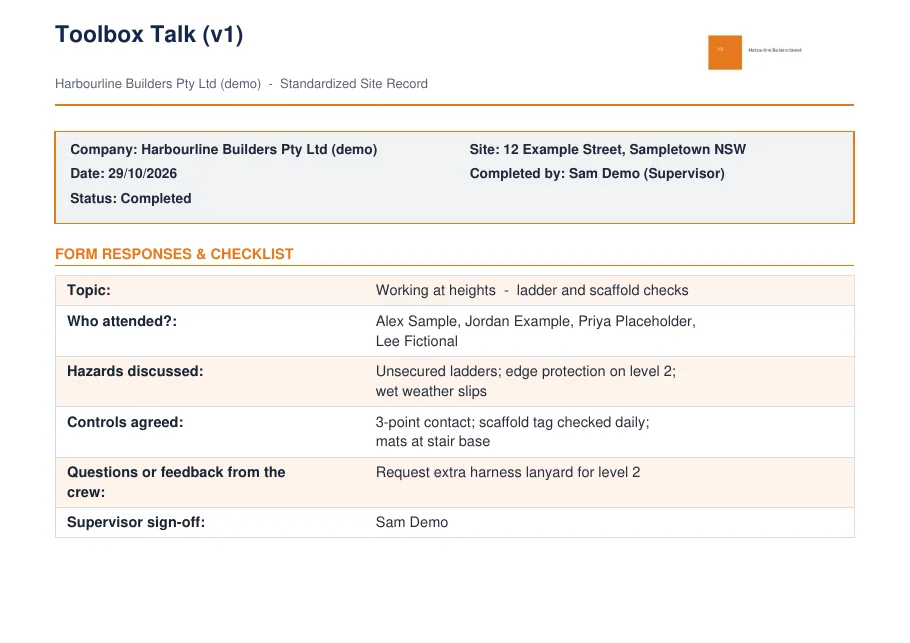
Sample filled-in toolbox talk PDF
This is what a submitted toolbox talk looks like, using fictional demo data. Your company logo appears in the header.
FAQ
Is the template free? Yes. The Word file is a free download, no email needed. The PDF is available after a short form; marketing emails are optional. Edit either file and use it as often as you like.
Can I edit the template? The Word version is fully editable. Change the headings, add your logo or add a section.
Does this template meet my safety obligations? We can't tell you that. It's a simple record format. Check what you need with your safety advisor.
How does the phone version record attendance? Attendance is recorded on the form in Telegram. Crew can tick to confirm (an acknowledgement field) if your form includes one. ZimQi does not collect handwritten or digital signatures.
Where do the records end up? In your own Google Drive or Dropbox, filed by site and date, plus in ZimQi. OneDrive is coming soon.
Can subcontractors confirm too? Yes. Subbies can be added to the attendance list with their company.
Related
- Free timesheet and toolbox talk templates
- How it works — fill the same talk as questions and answers in Telegram; a branded PDF goes to your Drive or Dropbox. This is not a signed or certified document.
- Timesheet app Australia
- Site sign-in & induction app
- Contractor management for small crews
- Free contractor timesheet template
- Time clock app
- Integrations
- Home · Pricing · Compare apps